
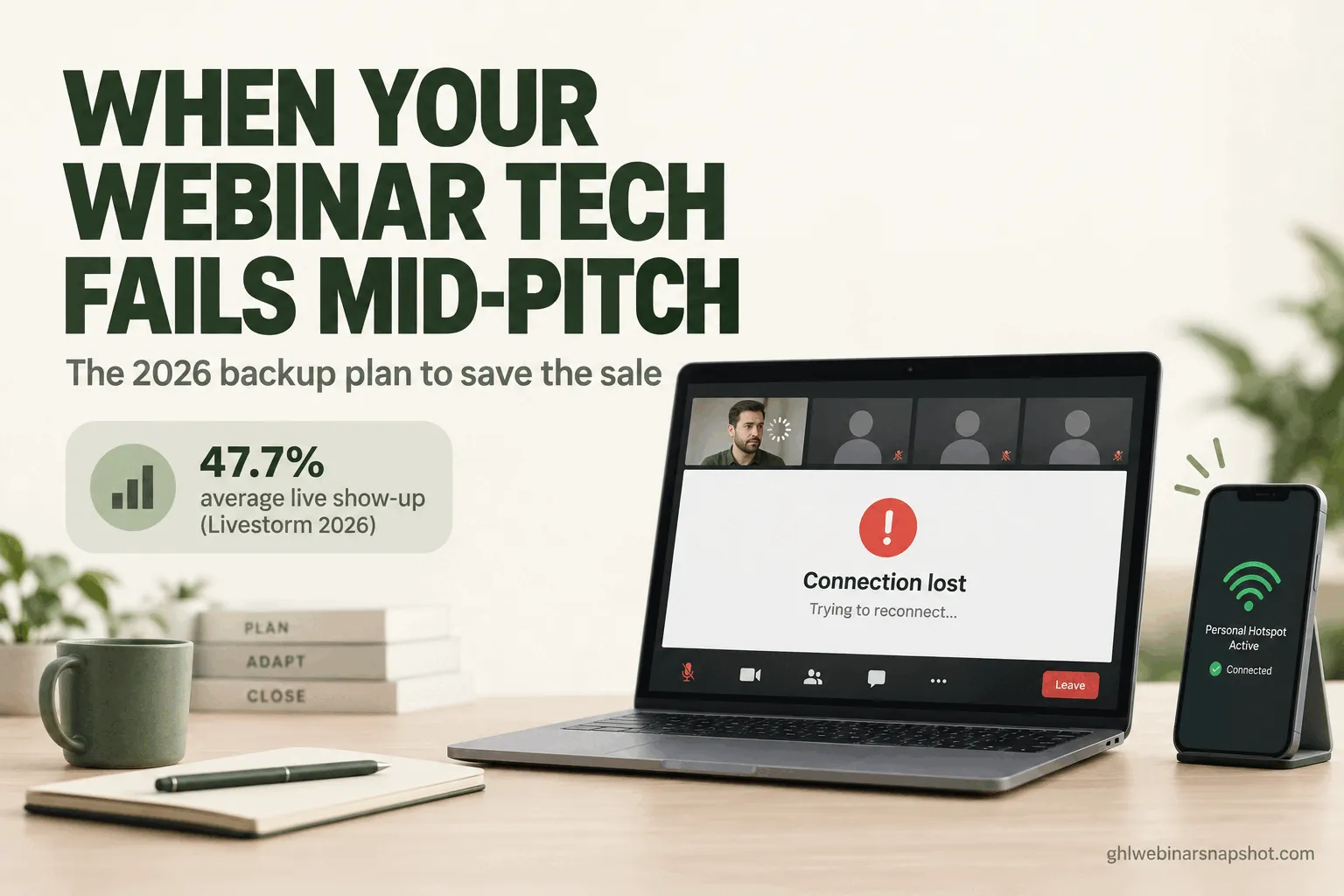
When your webinar tech fails mid-pitch, the sale is not gone, but your next 90 seconds decide whether you keep it. Do not go silent. Say out loud that you have a technical issue and you are fixing it, switch to a backup you built before going live (a second internet connection, a second device, a pre-made backup room), and keep the room busy in chat while you reconnect. If you lost the offer window, put the booking link in the chat and lean on a recovery email and SMS that send everyone the replay and the offer within the hour. The hosts who save these moments built the backup plan before the thing broke.
It is 8:12pm. You are 47 minutes into a live webinar and you just said “here is what I want to offer you tonight.” You click to the pricing slide. Nothing. Your screen share is frozen, the chat fills with “is it just me?”, and the upload indicator has gone red. You have 83 people watching, you spent weeks and real ad budget filling that room, and the most important two minutes of the night just went dark.
This is the failure almost nobody plans for. People obsess over the registration page and the reminders, then run the live event on one laptop, one WiFi connection, and a prayer. I build the automation behind webinar funnels for a living, and the pattern never changes: the funnel is bulletproof and the live room has no backup at all. This is the playbook for the moment it breaks, so a crash costs a few minutes instead of the whole sale.
Table of contents
- What a mid-pitch crash actually costs you
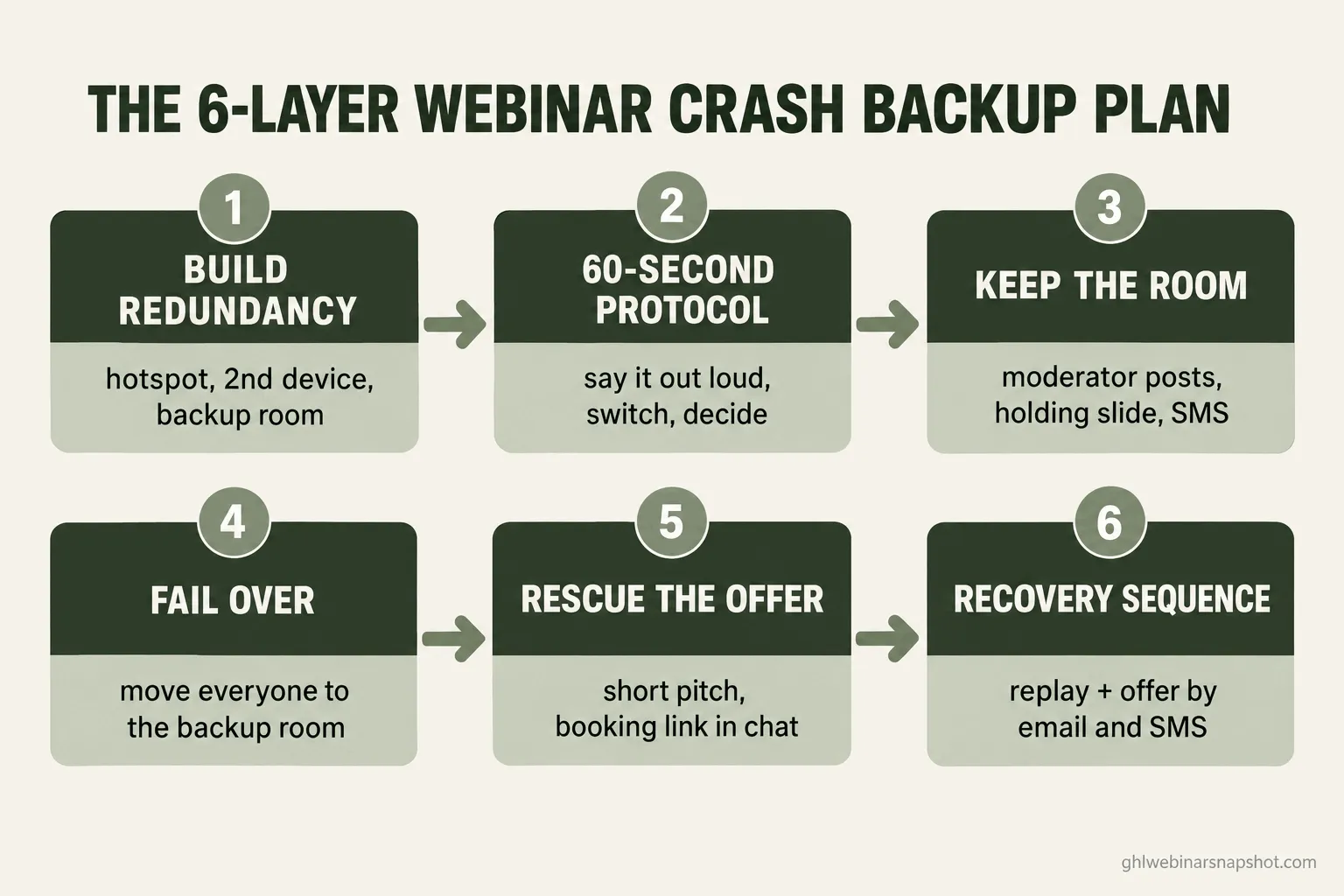
- Layer 1: Build redundancy before you go live
- Layer 2: The 60-second protocol
- Layer 3: Keep the room while you fix it
- Layer 4: Fail over to the backup room
- Layer 5: Rescue the offer
- Layer 6: The post-crash recovery sequence
- The same plan at three sizes
- Compliance you cannot skip
- Objections, answered
- FAQ
What a mid-pitch crash actually costs you
Run the math and the panic makes sense. Livestorm’s 2026 benchmark, built from 33,786 sessions and over seven million registrations, puts average live show-up at 47.7% for 2025. The average webinar turns 175 registrants into about 83 live attendees. You spent money and weeks getting people to say yes, and under half walked in, so those 83 are the warmest leads you will touch all month.
Now time the failure. A crash during the content is annoying; a crash during the offer is a revenue event, because the pitch is where the entire return on the webinar lives. If the stream dies as you move to price, you did not lose a slide. You lost the sales conversation you built the whole night to have.
Here is the calming part: the crash itself rarely kills the sale. What kills it is the host going quiet and letting the room decide it is a mess. Your attendees forgive the glitch and punish the dead air. The plan below is a plan to never go quiet.
There are two kinds of failure. Your problem (internet, laptop, share, mic) you fix by switching to a backup. The platform’s problem (the tool goes down or logs everyone out) you cannot fix, so you move the people to a backup room. Do not waste the critical 90 seconds diagnosing which: assume your side first, and if a switch does not bring you back in a minute, fail over.
Layer 1: Build redundancy before you go live
Everything good during a crash was set up before it. The most common failure is your connection, so keep a charged phone on a tested hotspot beside your machine: sending 1080p video needs only about 3.8 Mbps upload and 3.0 Mbps download, which a hotspot can carry. Have a second device logged in as co-host with camera and mic off, a moderator watching chat and the back end, and a pre-made backup room whose join link lives in a note on your phone.
Where this breaks: people leave the backup-room link in a browser tab on the laptop that just froze. Put it on your phone, and run the full pre-webinar tech checklist before every live event.
Layer 2: The 60-second protocol
The moment something breaks, the room watches how you handle it closely, so run a fixed sequence.
Second 0 to 10, say it out loud. Do not freeze and stare. Name it calmly, with a time estimate. Second 10 to 40, switch, do not diagnose. Move to your backup connection or device, hand the room to your moderator, and do not try to understand why it broke. Second 40 to 60, decide. If you are back, pick up where you left off and acknowledge it once; if not, start the failover in Layer 4.
Where this breaks: hosts over-apologize. One calm acknowledgment reassures; thirty seconds of “I am so sorry, this is so embarrassing” tells the room the event is falling apart. State it once and move on.
Layer 3: Keep the room while you fix it
If the fix takes longer than a few seconds, the room needs something to do or it empties. This is the moderator’s job, on copy you wrote in advance: a short human message immediately, then one every 30 to 45 seconds, with a branded holding slide up on the second device. If the outage passes a minute or two, text the room, because an SMS pulls back people who already closed the tab, which the SMS automation fires.
Where this breaks: the moderator posts once and goes quiet. A “be right back” at second 10 does nothing at second 90, so assign one person to keep the chat warm.
Layer 4: Fail over to the backup room
When the platform itself is the problem, you stop fixing and start moving. Paste the backup room link into the chat if it still works, and fire it by email and SMS, because you do not know which channel they are watching. Keep the message to one line: we moved rooms, click here, we are waiting for you. You will not get everyone to move, and that is fine: the people who click through during a crash are your hottest buyers.
Where this breaks: operators try to rebuild the same broken platform instead of moving. If it went down once, it can go down again, so move to the backup and finish there.
Layer 5: Rescue the offer
Say the worst happened: you lost six minutes and your pitch is in pieces. You can still book calls tonight, because the offer does not need to be smooth, just clear.
Put the booking link in the chat, not on a slide that might freeze again, say it twice, and extend any deadline by 24 hours so nobody decides while rattled. For the full handoff from pitch to calendar, see the attendee-to-sales-call playbook.
Where this breaks: the host is so thrown that the offer turns into a mumble that never states the price or the next step. Slow down for the 30 seconds that matter: say the price, say the link, twice.
Layer 6: The post-crash recovery sequence
This is where most of the saved revenue comes from, so do not close the laptop. Within the hour, email every registrant the full replay, an honest note about the glitch, and the offer with its extended deadline, then send a short SMS that the replay is up. Over the next 48 hours, run your normal follow-up and lean harder on call-booking. If you have no follow-up engine yet, the no-show recovery sequence is the template to adapt, since a crashed room behaves like a room of no-shows.
Where this breaks: the recovery sequence lives in the host’s head, not the CRM, so on a defeated night it never goes out. Build it as an automation triggered by the webinar, often worth more than the entire pre-webinar funnel.
Mbps you actually need to run a webinar, which is why a phone hotspot works as a backup connection. Source: BroadbandNow internet speed guide, updated October 2026.
The same plan at three sizes
The six layers are the same for everyone; what changes is how much redundancy is worth building, and who runs it.
Solo coach, low to mid ticket. You are both presenter and moderator, so your priorities are a hotspot, a second device, pre-written copy, and one chat helper. The recovery automation matters most, because a bad night leaves you too drained to send anything by hand.
Small team, mid to high ticket. Split moderator and tech roles, build the backup room every time, and rehearse the failover once. One recovered sale pays for a year of a second internet line.
Enterprise B2B demand gen. The stakes are pipeline and the audience expects polish: a wired primary plus a 5G backup, a producer who fails over invisibly, and a ready backup platform. Connect the platform to your CRM so a crashed session still scores every lead.
| Operator | Primary risk | Minimum backup | Worth building |
|---|---|---|---|
| Solo coach | You go silent fixing it | Hotspot, 2nd device, pre-written copy | Recovery automation |
| Small team | No one owns the fix | Moderator + tech role, backup room | Rehearsed failover |
| Enterprise B2B | Polish breaks trust | Wired + 5G, producer, backup platform | Full redundant production |
Compliance you cannot skip
The crash does not suspend the rules, and the recovery leans on SMS and on your recording.
SMS consent (TCPA and A2P 10DLC). The “we are back live” and “replay is up” texts are marketing messages under the Telephone Consumer Protection Act. Send them only to people who consented at registration, with a “Reply STOP” opt-out, and in the US you need a registered A2P 10DLC campaign or carriers quietly filter your texts. Setup is in the A2P 10DLC registration guide and Twilio’s docs.
Recording and replay consent. If your webinar recorded attendee audio or video, sharing that replay can run into two-party consent laws in states like California, Florida, and Illinois. Record only the host-facing feed, or get clear consent before anyone appears. See the 2026 webinar compliance guide.
Email (CAN-SPAM). Recovery emails still need a real physical address and a working unsubscribe, per the FTC CAN-SPAM guide.
Objections, answered
“This is a lot of setup for something that rarely happens.” It happens more than you think, which is the point of the 86% figure. The setup is small: a charged phone, a second tab, pre-written copy, and one automation, built once and reused. The downside of skipping it is the launch you lose when your luck runs out.
“Won’t moving rooms just confuse everyone?” It can, if you improvise. That is why you rehearse it once and keep the message to one line. A room that gets a clear “click here, we are waiting for you” moves; a room that gets five minutes of silence leaves.
“I am solo, I cannot have a moderator and a tech person.” One helper on event nights covers most of what a full team does. If you truly run solo, your pre-written copy and recovery automation do the moderator’s job for you, and the automation never panics.
“If the sale got interrupted, isn’t it just gone?” No, and this is the most expensive wrong belief here. The live pitch is one shot at the offer, not the only shot. The recovery email and SMS, the replay, and the extended deadline recover a large share of what the crash looked like it cost.
FAQ
What is the first thing to do when a webinar crashes mid-pitch?
Say it out loud, calmly, with a time estimate, like 'quick hiccup, give me 30 seconds, do not go anywhere.' Dead air empties a room faster than a visible glitch. Then switch to your backup connection or device instead of diagnosing the cause.
How do I keep attendees from leaving while I fix it?
Give the room a heartbeat. A moderator posts immediately and again every 30 to 45 seconds, a holding slide goes up on a second device, and if the outage passes 90 seconds, an SMS pulls back people who closed the tab.
Should I create a backup webinar room in advance?
Yes, it is the single most valuable backup. Create a second room before you go live, keep its join link in a note on your phone, and pre-write a 'we moved rooms, join here' message in your CRM. When the platform fails, you move in seconds.
Can I still make the offer if the crash ate my pitch?
Yes. Give the short version: what it is, who it is for, the price, the next step. Put the booking link in the chat, say it twice, and extend any deadline by 24 hours. People who stayed through a crash are your hottest buyers.
What should the post-crash recovery sequence include?
Within the hour, email every registrant the full replay, an honest note about the glitch, and the offer with its extended deadline, plus a short SMS. Over 48 hours, run your normal follow-up and push call-booking. Build it as an automation so it sends on a defeated night.
Are the recovery texts allowed under TCPA and A2P 10DLC?
Only to people who consented at registration, with a 'Reply STOP' opt-out. In the US you also need a registered A2P 10DLC campaign or carriers filter your texts. It is the same consented channel your reminders use, so if those are compliant, these are too.
It is 8:14pm. Two minutes after the pricing slide froze, you are back on your phone’s hotspot, the backup room link already pasted in the chat. You said one calm sentence, your moderator kept the room talking, and 71 of the 83 people are still there. You give the short version of the offer, paste the booking link, and extend the bonus a day. By the time you close the laptop, six calls are booked, and the recovery email has already gone out on its own.
That is the difference the backup plan makes. The tech will fail on you eventually; it fails on everyone. The hosts who keep the sale are not the ones who never crash. They are the ones who decided, before going live, exactly what they would do when it did.